How to share a proposal with a client
By DeckPeek
A proposal link gives your client one place to review the scope, timeline, and price. You can choose its access rules, see recorded engagement, and update the document associated with that URL when the proposal changes.
The aim is a clear review process: the client knows what to read, when to respond, and which version you are discussing. Here is a practical way to set that up in DeckPeek.
Make the proposal easy to act on
Before sharing, make the scope, deliverables, schedule, price, and next step easy to find. Put assumptions beside the work they affect. If the quote depends on a client supplying content or approving a design, make that dependency explicit in the proposal.
For a website project, separate discovery, design, and launch so the client can see what each phase includes. Finish with a specific next step, such as confirming the scope or booking a review call, rather than leaving the reader to decide how to proceed.
Create the client’s review link
DeckPeek accepts PDF and DOCX proposals, as well as PPTX presentations. DOCX and PPTX files are prepared as PDF viewer copies. Check the preview after processing, especially pricing tables, page breaks, and any small-print assumptions.
Upload the proposal
Open Documents, upload the file, and wait until it is ready to view. Give the document a title the client will recognize.
Name the link for this review
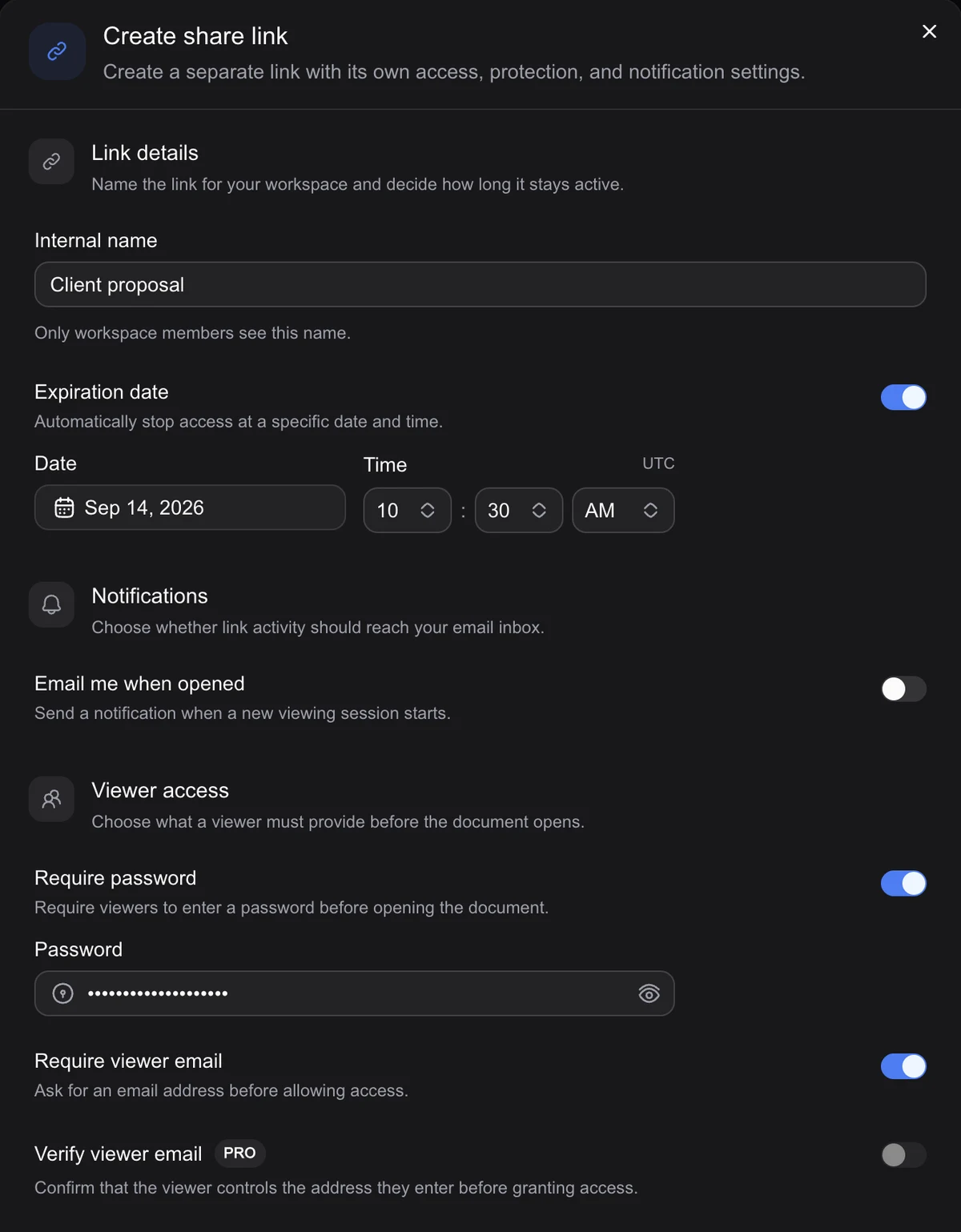
Create a share link and use an Internal name such as “Website proposal — client review.” Use a separate link for another audience if you need to review its activity independently.
Set the review conditions
Choose a password, expiration, viewer email requirement, and download setting as needed. An expiration ends link access; it does not establish the commercial validity of the quote.
Send a short introduction
Copy the created URL into your message. State what changed since your last conversation and suggest a date or action for the next step.
Give the client a reason to open it
A useful message might read: “Here is the website proposal we discussed. It covers the three launch phases, responsibilities, and pricing. Please review the scope before Thursday’s call, and let me know if anyone else should be included.” Replace the dates and details with your actual agreement.
If you added an expiration, mention when access ends so the client can plan their review. If other people need access, check that your settings support that review group before the link gets forwarded.
Keep revisions clear
When revising the same proposal, use Upload a new version to replace its active file while keeping existing share links. Check the new preview and tell the client what changed, particularly when you revise scope or pricing. Replacing the file affects the content associated with that document’s links.
If an earlier quote needs to remain available as a separate reference, upload the revision as a separate document instead. A stable URL is useful, but the client should never have to guess whether they are discussing the same offer.
Use viewing activity to prepare the conversation
Review the proposal’s Analytics tab for opens and page engagement before following up. Time on pricing or scope can suggest a topic to clarify, but it does not tell you whether the client agrees. An open, a completed visit, or an email entry is not acceptance of the proposal.
For supported formats, plan details, and individual settings, visit the DeckPeek help center.